
Script and embed blocking
How the plugin holds tracking scripts, YouTube and Vimeo embeds and other tools back until consent, including tags that Google Tag Manager adds.
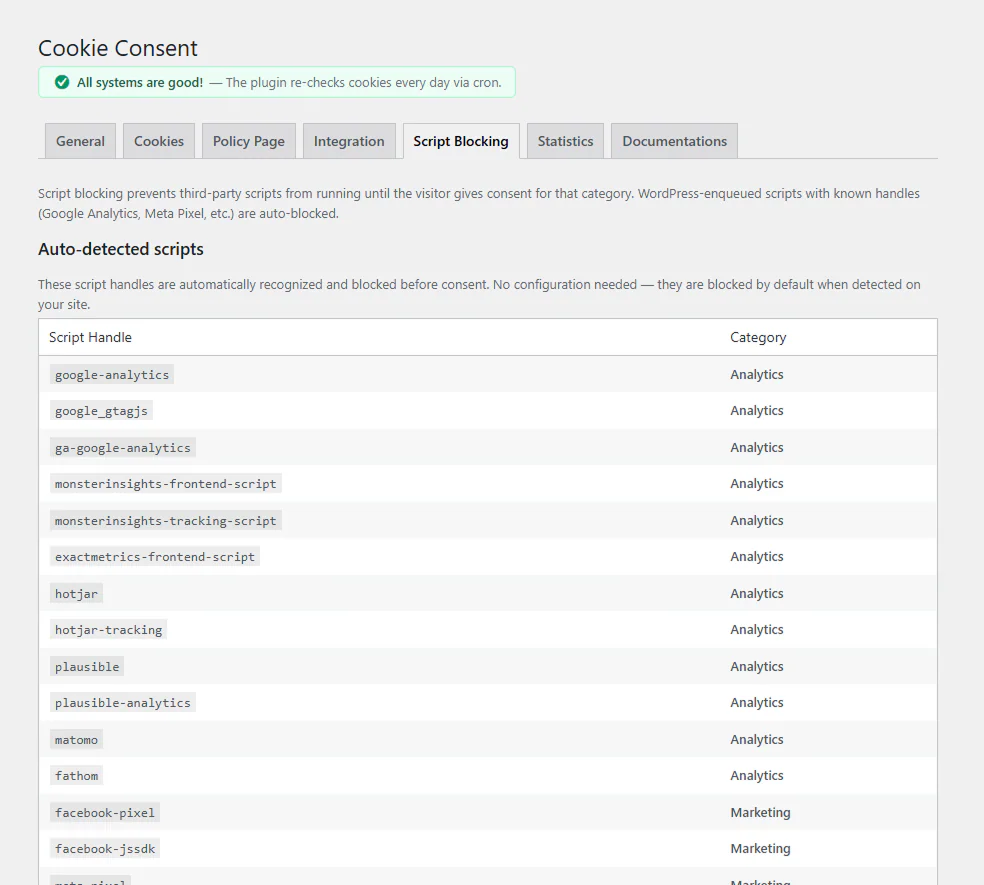
Blocking is the part of cookie consent that matters most: a tracker must not run, or set cookies, before the visitor has allowed its category. The plugin does this in four layers.
Scripts added through WordPress
Plugins add their scripts through WordPress. The plugin recognises the scripts of common tools, such as Google Site Kit, MonsterInsights, Hotjar, Plausible, Matomo, the Meta Pixel and LinkedIn Insight, and holds each until its category is allowed.
Scripts in the page HTML
Themes, page builders and “header scripts” plugins often print tracking code straight into the page. With Custom Code blocking on (the default), the plugin reads the finished page and holds back every script that matches a known tracker, whether it comes from Elementor, Bricks, a Custom HTML block or a code-snippets plugin.
Recognised tools include Google Analytics and Google Tag Manager, Microsoft Clarity, Hotjar, Matomo, Plausible, Fathom, Cloudflare Web Analytics, Yandex Metrica, Segment, the Meta Pixel, LinkedIn, TikTok, X (Twitter), Pinterest, Snapchat, Reddit, Microsoft Advertising, Criteo, Taboola, HubSpot, Klaviyo, Mailchimp, Trustpilot, Intercom, Crisp and Calendly.
Scripts added after the page has loaded
Tag managers and loaders add scripts with JavaScript after the page has loaded, where no HTML pass can see them. Since version 1.8.10 a small guard at the top of the page checks every script added this way against the same list of trackers and your own rules, and holds back those whose category the visitor has not allowed. When the visitor allows the category, the held script runs.
This is what keeps a Meta Pixel in a Google Tag Manager Custom HTML tag from running on analytics consent alone. See Google Consent Mode v2 and Tag Manager.
Embedded videos
YouTube and Vimeo embeds wait for marketing consent. In their place the visitor sees the video thumbnail and an Accept marketing cookies button; one click allows marketing and loads the video. Elementor’s own Video widget is covered too. You can turn embed blocking off on the Script Blocking tab.
The Trustmary reviews widget waits for analytics consent, with a placeholder and an accept button, because it stores a visitor ID in the browser.
Block by address
For a tool the plugin does not recognise, add a rule on the Script Blocking tab:
| Field | What to enter |
|---|---|
| Address | Part of the script’s address, for example widget.example.com |
| Category | The consent the script needs |
| Show message | On for scripts that show content on the page, such as a widget |
A rule works wherever the script is added: through WordPress, in the page HTML, or by JavaScript later. A rule also overrides the built-in category of the same address. Choose Necessary (never blocked) to let a script load right away.
Caching and optimisation plugins
The plugin tells WP Rocket, LiteSpeed Cache and Autoptimize to leave its own scripts and the held trackers alone, so “delay JavaScript” and script merging do not break consent. Blocked embeds are the same for every visitor, so the pages are safe to cache.
What blocking does not cover
Requests that a script makes after it is allowed are up to that script. Server-side tracking (for example the Meta Conversions API or server-side GTM) never passes through the visitor’s browser, so a consent banner cannot block it: configure those to respect consent yourself.
Updated 28 October 2026
Something wrong or missing? Tell me in the support forum. (opens in a new tab)