
Meta Pixel in Google Tag Manager now waits for cookie consent automatically
A user of the plugin sent me a message: on his site, the Meta Pixel started when a visitor accepted analytics cookies, even though marketing was denied. And when a visitor accepted only marketing, the pixel did not start at all.
His setup was very common: Google Tag Manager installed with the GTM4WP plugin, and the Meta Pixel in GTM as a Custom HTML tag that fires on All Pages.
Version 1.8.10 fixes both problems, and you do not need to change anything in your container.
Why it happened
A cookie consent plugin sees the page that WordPress sends. Google Tag Manager is one script in that page, and the plugin held it back until the visitor accepted analytics.
Everything inside the container was invisible to the plugin. GTM adds its tags to the page only after it has loaded. So when analytics was accepted:
- The plugin let GTM load.
- GTM ran every tag with the All Pages trigger, the Meta Pixel included.
- Nothing told GTM that marketing was denied, because a Custom HTML tag does not follow Consent Mode the way Google’s own tags do.
And when only marketing was accepted, GTM never loaded, so the pixel never got a chance.
With Advanced Consent Mode, where Google tags load before any choice, it was worse: the Meta Pixel ran before the visitor had chosen anything. Nobody had reported that one yet, but our test lab showed it.
What 1.8.10 does
The plugin now puts a small guard first in the page head. When any code, GTM included, adds a script to the page after it has loaded, the guard checks the script’s address against the trackers the plugin knows, and against your own Block by address rules.
- A tracker whose category the visitor has not allowed is held back.
- When the visitor allows that category, the held script runs. The Meta Pixel then sends the page view it had queued.
- Everything else loads as before.
And with Basic Consent Mode, Google Tag Manager now loads when the visitor accepts analytics or marketing. Inside the container, each tag waits for its own category:
| Visitor accepts | GTM | Meta Pixel, LinkedIn, TikTok… | Google Ads | Google Analytics |
|---|---|---|---|---|
| Nothing | Waits | Waits | Waits | Waits |
| Analytics only | Loads | Waits | Loads, Consent Mode denies ad storage | Loads |
| Marketing only | Loads | Loads | Loads | Waits |
| Everything | Loads | Loads | Loads | Loads |
Do I need to change my GTM container?
No. Tags that were set up “wrong” now behave correctly, and tags that already had consent settings keep working as before.
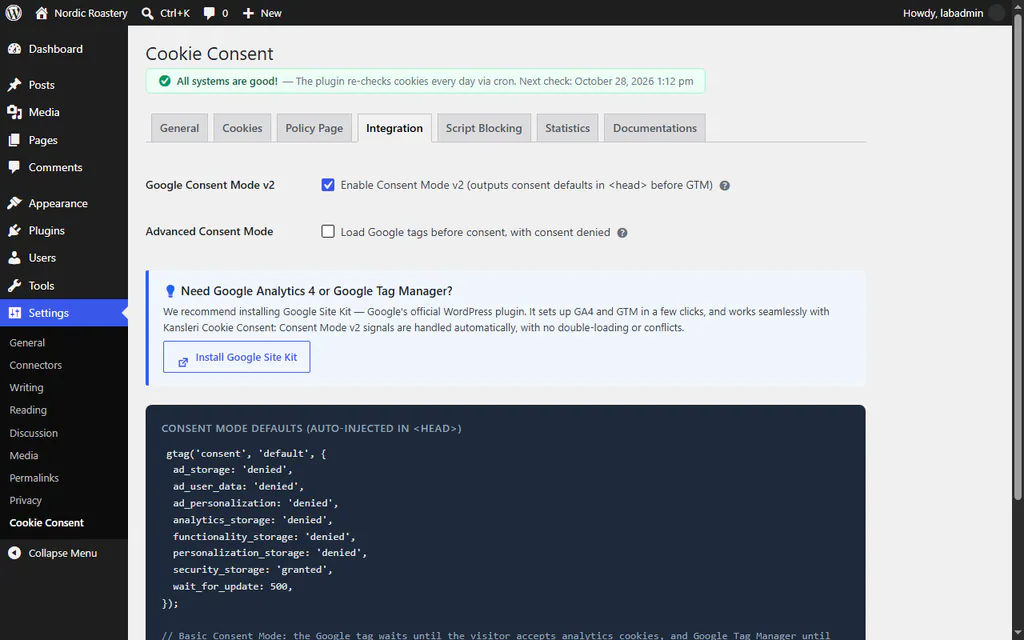
The Integration tab in 1.8.10. Consent Mode v2 is on by default, in Basic mode.
If you want to be thorough, GTM’s own consent settings are still a good idea: on a Meta Pixel tag, choose Advanced Settings → Consent Settings → Require additional consent for tag to fire and add ad_storage. The plugin sets that signal from the visitor’s marketing choice.
How I tested it
The plugin has a test lab that builds real WordPress sites and drives them in a headless browser. For this fix it got two new scenarios with the real GTM4WP plugin and a container that runs a Meta Pixel, LinkedIn Insight and Hotjar in Custom HTML tags, plus GA4 and Google Ads tags.
The same tests fail on version 1.8.9 exactly the way the user described:
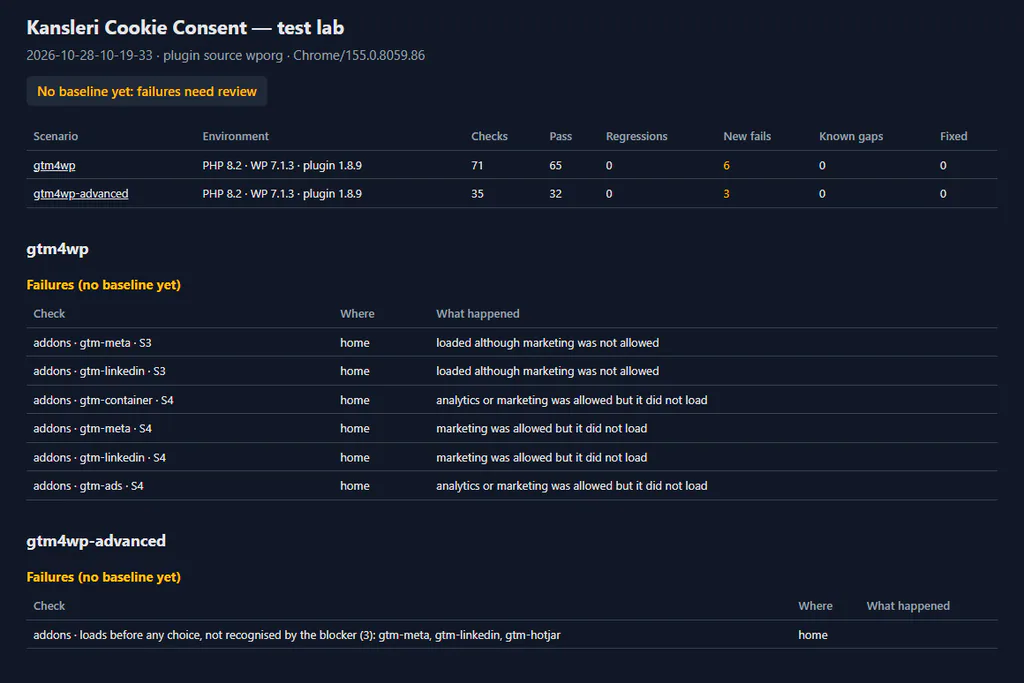
Version 1.8.9. S3 is analytics consent only, S4 marketing consent only.
And they pass on 1.8.10:
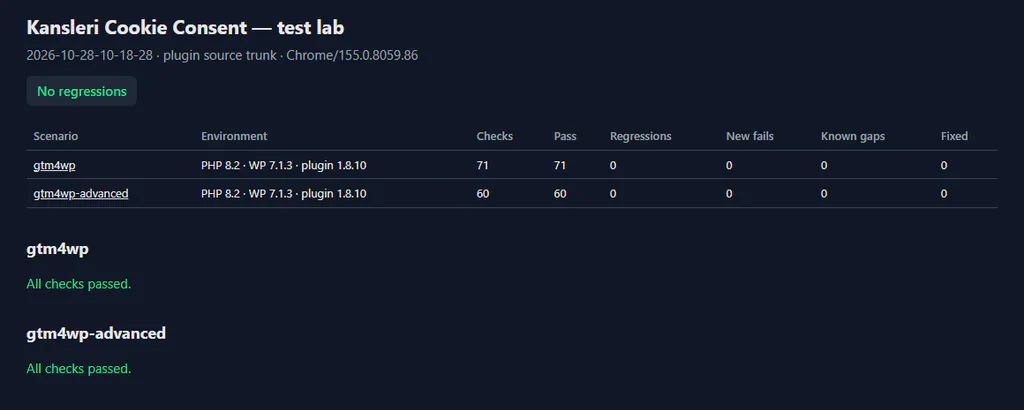
Version 1.8.10. Every check passes.
A wider test adds all 31 trackers the plugin knows through JavaScript after the page has loaded: version 1.8.9 let every one of them run before any choice, and 1.8.10 holds all of them.
Update the plugin from your WordPress dashboard, or download it from WordPress.org (opens in a new tab). The details are in the Google Consent Mode documentation.